# I Made a Thermal Printer Spit Out Every YouTube Song I Listen To
*Or: how to extract joy from a $40 receipt printer, a Chrome extension, and 200 lines of Python.*
---
I have an Xprinter XP-80. It's a generic Chinese 80 mm thermal receipt printer of the kind you've seen in every cheap restaurant. It came in a brown box with no English on it, a bundled `XPrinter.exe` that doesn't print, and a `.ini` file pointing at the wrong port.
I love it.
This is the story of getting it to print a little "now playing" receipt every time the song changes on YouTube, and the surprisingly small amount of code it took.
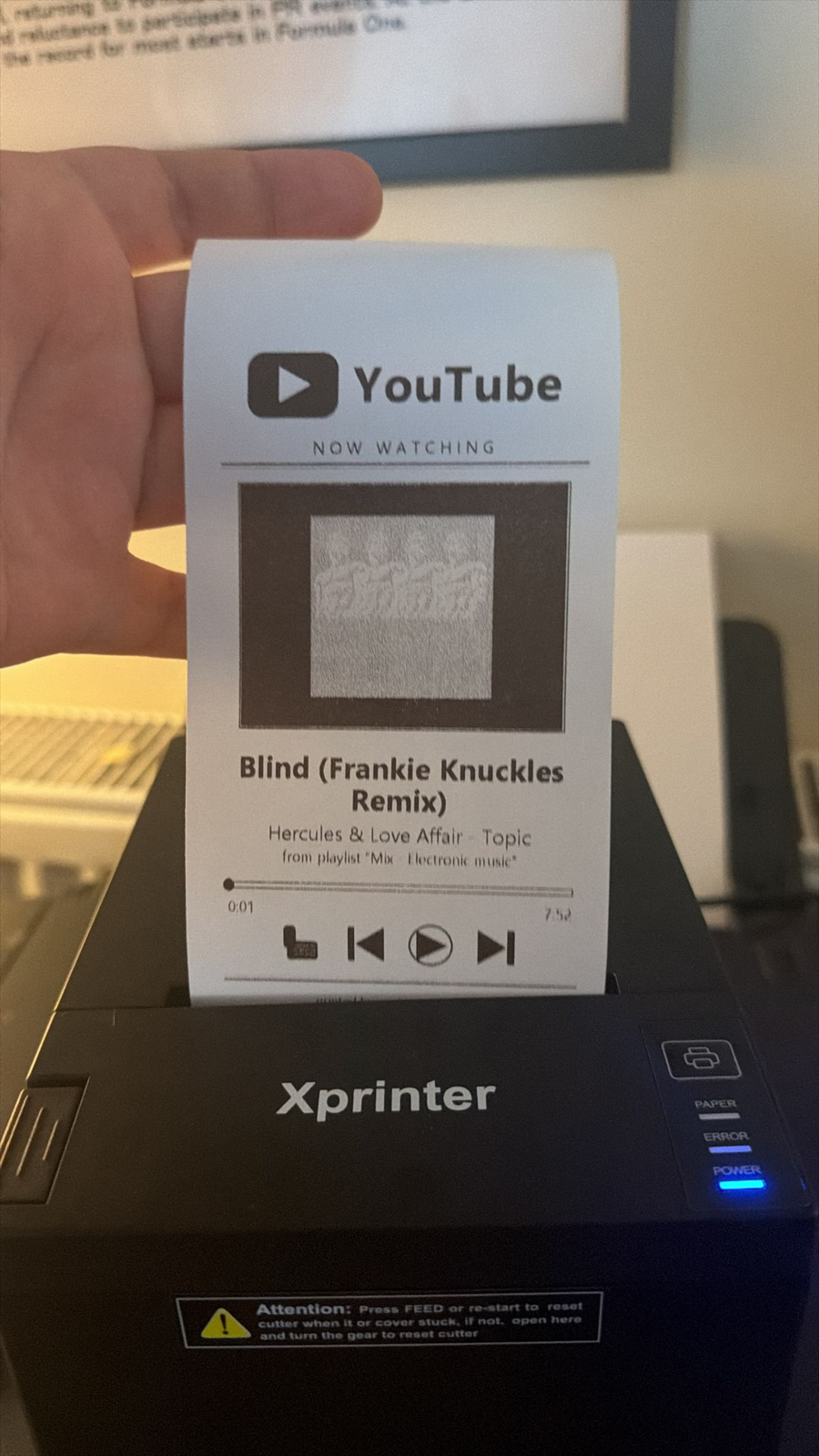
*A receipt printed by the rig. Yes, that's a dithered YouTube thumbnail on thermal paper.*
## Step 1: make the thing print anything at all
The bundled `XPrinter.exe` is one of those Windows utilities translated from Chinese in 2014 and never touched again. The "Print Test" button does nothing. Device Manager showed the device as `Printer POS-80` with `VID_1FC9 & PID_2016`, which is the device's USB descriptor saying "I am a USB printer-class device, please feed me bytes." But there was no print queue bound to it, which is why nothing in Windows could see it.
The fix is one PowerShell incantation:
```powershell
Add-PrinterDriver -Name "Generic / Text Only"
Add-Printer -Name "XP80" -DriverName "Generic / Text Only" -PortName "USB002"
```
"Generic / Text Only" is the most beautiful printer driver in Windows. It does no formatting, no scaling, no color management, no anything. It takes the bytes you hand it and writes them straight to the device. For an ESC/POS thermal printer that's exactly what you want, because the printer itself speaks a byte protocol that any framework, library, or your own bare hands can write.
Once that queue exists, sending text to the printer is a one-liner from Python:
```python
import win32print
h = win32print.OpenPrinter("XP80")
win32print.StartDocPrinter(h, 1, ("hello", None, "RAW"))
win32print.StartPagePrinter(h)
win32print.WritePrinter(h, b"Hello from Python\n\n\n\x1d\x56\x00")
win32print.EndPagePrinter(h)
win32print.EndDocPrinter(h)
win32print.ClosePrinter(h)
```
The `\x1d\x56\x00` at the end is ESC/POS for "full cut the paper now please." That's the entire protocol vibe: ASCII text mixed with a handful of magic bytes for bold, alignment, cutting, line feeds, barcodes, images.
> **Pro tip from my first failed print:** thermal paper has a heat-sensitive coating on exactly one side. If you load the roll upside down, the printer will happily feed beautiful, perfectly aligned, completely blank paper for as long as you let it.
## Step 2: making it look like something
Bytes of text work but they look like a supermarket receipt. For anything fun you want a logo, a thumbnail, a progress bar. ESC/POS supports raster images via `GS v 0`. You hand the printer a packed 1-bit bitmap, MSB first, one bit per dot, and it prints exactly that.
So I draw the entire "now playing" card with Pillow at 576 pixels wide (the printable width of the XP-80), convert to 1-bit with Floyd-Steinberg dithering, pack the bits, and prepend the magic header:
```python
def image_to_raster(img):
img = img.convert("1")
w, h = img.size
bw = (w + 7) // 8
header = bytes([0x1D, 0x76, 0x30, 0x00,
bw & 0xFF, (bw >> 8) & 0xFF,
h & 0xFF, (h >> 8) & 0xFF])
px = img.load()
out = bytearray()
for y in range(h):
for bx in range(bw):
byte = 0
for bit in range(8):
x = bx * 8 + bit
if x < w and px[x, y] == 0:
byte |= 1 << (7 - bit)
out.append(byte)
return header + bytes(out)
```
That's it. That's the entire bridge between the modern world (anti-aliased fonts, jpegs, vector logos) and a 1980s thermal print head. Everything in the printout (the YouTube logo with its rounded rectangle and white play triangle, the dithered thumbnail, the progress bar, the playback controls) is just Pillow drawing on a `Image.new("1", (576, h))` canvas, then 200 lines of bit-packing.
The first time it produced a recognizable thumbnail of Rick Astley I laughed out loud.
## Step 3: knowing what's playing
A receipt that prints fake data is a demo. A receipt that prints what I'm *actually* listening to is a friend.
YouTube doesn't have a clean "currently playing" API for arbitrary users without a server-side OAuth dance, but I don't need one. I'm already looking at the page. A 100-line Chrome extension is enough:
1. **A manifest** declaring a content script that runs on `youtube.com/watch*`.
2. **A content script** that polls `URLSearchParams(location.search).get("v")` once a second, notices when the video ID changes, scrapes title / channel / playlist / progress from the DOM, and POSTs the lot to a local server.
3. **A tiny Python HTTP server** (`http.server`, no Flask) that receives the JSON, downloads the thumbnail, renders the receipt image, and writes it to the printer queue.
The whole architecture fits on a napkin:
```
content.js ──POST──▶ 127.0.0.1:7878 ──ESC/POS─▶ XP-80 over USB
```
There's some delicate plumbing I won't bore you with (Chrome's *Private Network Access* prompt the first time an HTTPS page calls `http://127.0.0.1`, the difference between `chrome.storage.local` and `localStorage`, escaping CORS preflights), but none of it took more than ten minutes once I knew where to look.
## Step 4: the bug that ate half a meter of receipt roll
The very first version printed the *previous* track's metadata every time YouTube auto-advanced inside a playlist. I'd hear the new song start, the printer would whir, and out would come a receipt for the song I had just stopped listening to.
The cause is one of those great front-end gotchas. YouTube is a single-page app: when a playlist advances, the URL changes instantly via `pushState`, but the DOM nodes for the title and channel update later, after the new video's data round-trips from YouTube's servers. My content script was scraping during that interval, getting the old text, and shipping it off.
The fix is to wait for a signal that YouTube has actually finished rebinding the new video. `<ytd-watch-flexy>` has a `video-id` attribute that flips only once the new metadata is wired into the page:
```js
function awaitAndSend(targetId, attempts = 0) {
if (qs("v") !== targetId) return; // user moved on already
const flexyId = document.querySelector("ytd-watch-flexy")
?.getAttribute("video-id");
if (flexyId !== targetId) {
if (attempts < 40) {
return setTimeout(() => awaitAndSend(targetId, attempts + 1), 250);
}
}
setTimeout(() => {
if (qs("v") !== targetId) return;
send(gather(targetId));
}, 400);
}
```
Poll the attribute every 250 ms, give up at ten seconds, add a small grace period for the text nodes to actually render, then scrape and POST. After that the receipts started matching the audio.
## Why bother
This is useless. Wonderfully useless. It costs me ~5 cm of thermal paper per song, which means an hour of music produces a small pile of confetti shaped like receipts. The YouTube logo is monochrome. The thumbnail is dithered. None of this scales.
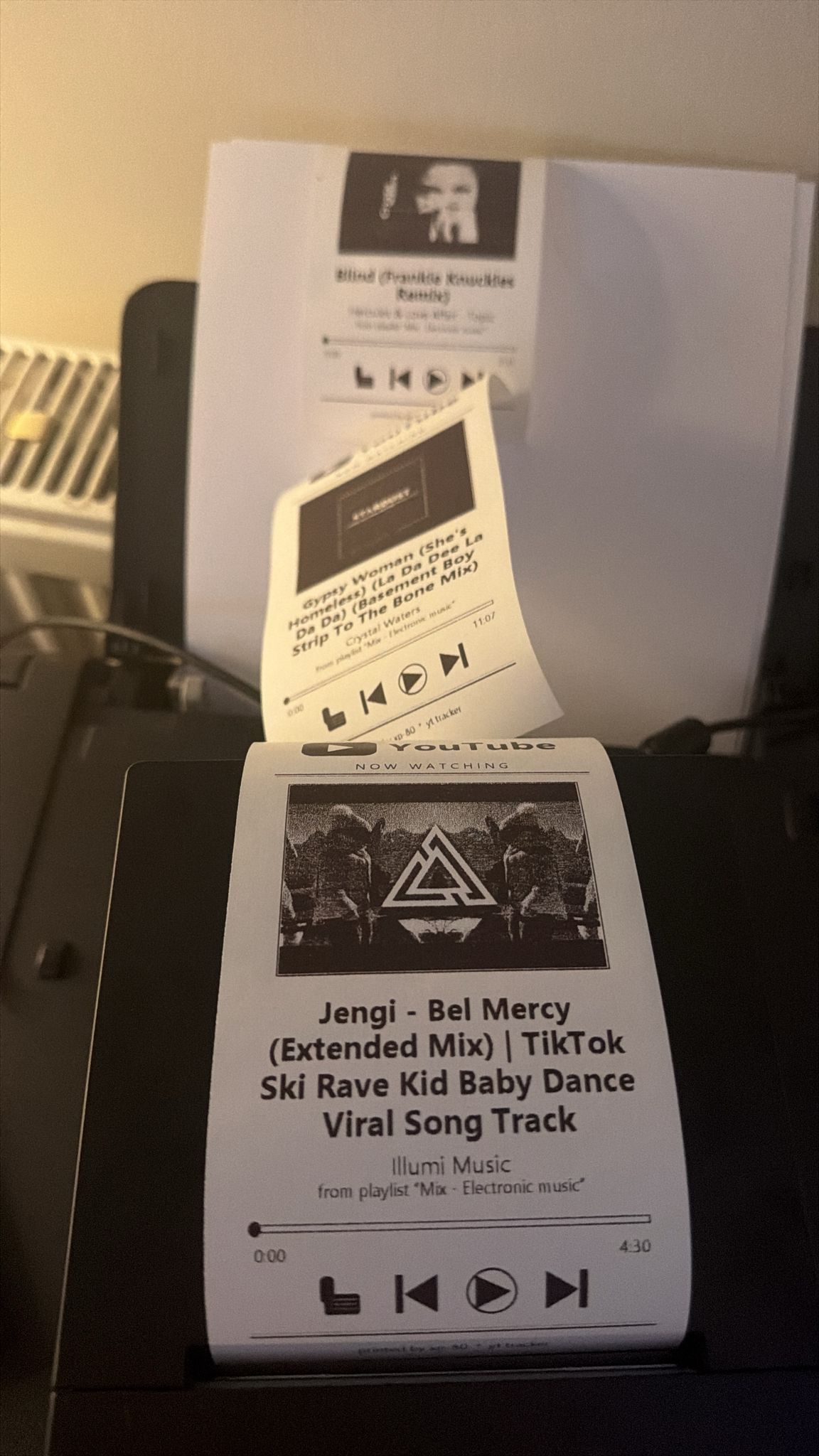
*The XP-80, mid-shift.*
But I have a stack of paper "tracks" on my desk now, and I keep picking them up. They're a physical, glanceable artifact of an otherwise totally ephemeral activity (me listening to music in a browser tab), and there's something genuinely lovely about taking a bit of digital noise and turning it into an object you can hold and accidentally spill coffee on.
## Try It Yourself
If you have an old thermal printer in a drawer, or a working one in some shop you're willing to liberate after-hours, the code is here:
**[github.com/CNuhlar/yt-thermal-printer](https://github.com/CNuhlar/yt-thermal-printer)**
It is small. You will understand all of it in one sitting.
Now if you'll excuse me, I have to go change the song.